
What to know about
NetSuite Integrations
What Is a NetSuite Integration?
A NetSuite integration connects NetSuite with your other business systems so data flows automatically between platforms. This can include CRM, ecommerce, warehouse management, 3PL, finance, and other operational tools. Instead of manually entering data or reconciling mismatched systems, a NetSuite integration creates a single, reliable source of truth.
Why Work With a Team of NetSuite Integration Experts
NetSuite integrations touch nearly every part of your business, from order processing to inventory, billing, and reporting. Working with experienced NetSuite integration experts helps ensure your integrations are built correctly from the start. A team that understands NetSuite data models, financial workflows, and system dependencies can design integrations that are stable, scalable, and aligned with how your business actually operates.
Why Companies Choose GAP
Financial First Architecture
We design NetSuite integrations with finance and reporting in mind. Every data flow supports clean financials, accurate reporting, and a smoother close process.
Clean and Scalable Design
Our integrations are built to scale. We avoid brittle point to point connections and design architecture that can grow as systems and processes evolve.
Root Cause Problem Solving
We take time to understand the underlying process and data issues before building. This prevents recurring errors and ongoing manual intervention.
Clear Communication and Documentation
We document integrations clearly and explain how everything works. Your team understands the system and is not left guessing after go live.
Our Approach to NetSuite Integrations
Discovery & Assessment
We start by reviewing your current systems, data flows, and business processes. This includes understanding transaction volume, timing requirements, and how data impacts reporting and operations. This step ensures the NetSuite integration is aligned with how your business actually runs.
Architecture & Design
We design the integration architecture based on your specific systems and goals. This includes selecting the right connection method, defining data ownership, and planning for future scalability. Our designs prioritize simplicity, control, and long term maintainability.
Build & Configure
We configure NetSuite and connected systems using best practice tools and methods. This includes building mappings, automations, and error handling that support accurate and consistent data flow across platforms.
Testing & Vavlidation
Every NetSuite integration is thoroughly tested across real world scenarios. We validate data accuracy, timing, and exception handling to ensure the integration behaves predictably under normal and edge case conditions.
Deployment & Transition
We manage a controlled deployment process to minimize disruption. Clear documentation and communication ensure your team understands how the NetSuite integration works and what to expect after go live.
Ongoing Optimization & Support
As your business evolves, your integrations should evolve with it. We provide ongoing support to monitor performance, address changes, and extend your NetSuite integrations as new systems or requirements are introduced.
Their extensive experience and technical expertise are complimented by their deep understanding of finance operations, enabling them to guide us toward optimal solutions
Matthieu Bertho
Director of Finance at Poolside AI
They have enabled technology to help our company grow by integrating NetSuite with our custom Shopify B2B Dealer Portal
Brad Prososki
Owner at Iron Bear Trailer
How to Ensure a Proper NetSuite Integration
Add paragraph text. Click “Edit Text” to update the font, size and more. To change and reuse text themes, go to Site Styles.
1
Start With Clean and Consistent Data
A NetSuite integration will only be as good as the data it moves. Before integrating systems, data should be reviewed, standardized, and cleaned to prevent errors from being replicated across platforms.
Start With Clean and Consistent Data
A NetSuite integration will only be as good as the data it moves. Before integrating systems, data should be reviewed, standardized, and cleaned to prevent errors from being replicated across platforms.
1
Add paragraph text. Click “Edit Text” to update the font, size and more. To change and reuse text themes, go to Site Styles.
2
Define Clear Data Ownership
Each system involved in a NetSuite integration should have clearly defined ownership. This includes determining where records are created, which system is the source of truth, and how updates are managed.
Define Clear Data Ownership
Each system involved in a NetSuite integration should have clearly defined ownership. This includes determining where records are created, which system is the source of truth, and how updates are managed.
2
Add paragraph text. Click “Edit Text” to update the font, size and more. To change and reuse text themes, go to Site Styles.
3
Align Integrations With Financial Processes
NetSuite integrations must support accurate financial reporting. Timing, posting rules, and transaction mapping should be designed with month end close and audit requirements in mind.
Align Integrations With Financial Processes
NetSuite integrations must support accurate financial reporting. Timing, posting rules, and transaction mapping should be designed with month end close and audit requirements in mind.
3
Add paragraph text. Click “Edit Text” to update the font, size and more. To change and reuse text themes, go to Site Styles.
4
Plan for Exceptions and Error Handling
Not every transaction will process perfectly. A proper NetSuite integration includes logging, alerts, and clear processes for identifying and resolving errors quickly.
Plan for Exceptions and Error Handling
Not every transaction will process perfectly. A proper NetSuite integration includes logging, alerts, and clear processes for identifying and resolving errors quickly.
4
Add paragraph text. Click “Edit Text” to update the font, size and more. To change and reuse text themes, go to Site Styles.
5
Avoid Unnecessary Customization
Overly complex customizations increase risk and maintenance effort. Simple, well designed NetSuite integrations are easier to support, troubleshoot, and scale over time.
Avoid Unnecessary Customization
Overly complex customizations increase risk and maintenance effort. Simple, well designed NetSuite integrations are easier to support, troubleshoot, and scale over time.
5
Add paragraph text. Click “Edit Text” to update the font, size and more. To change and reuse text themes, go to Site Styles.
6
Document and Test Continuously
Clear documentation and thorough testing ensure long term stability. Documentation helps your team understand the integration, while ongoing testing ensures changes do not introduce new issues.
Document and Test Continuously
Clear documentation and thorough testing ensure long term stability. Documentation helps your team understand the integration, while ongoing testing ensures changes do not introduce new issues.
6
A successful NetSuite integration is not just about connecting systems. It requires planning, discipline, and a clear understanding of how data supports your business.
Trusted By
Ready To Connect Your Systems?
ntegrating NetSuite doesn’t have to be complicate, or stressful. Whether you’re exploring options, troubleshooting a current setup, or ready to kick off a full integration project, we’re here to help. No sales pressure. No technical jargon. Just a straightforward conversation about your goals and the best path forward.
NetSuite Integrations FAQs
How long does a NetSuite integration project typically take?
Most integrations take 4–12 weeks, depending on complexity, the systems involved, and how much customization is required. Simple, connector-based integrations can move quickly, while multi-system or heavily customized environments take more planning.
What systems can be integrated with NetSuite?
NetSuite can integrate with almost anything, CRMs (Salesforce, HubSpot), eCommerce platforms (Shopify, Amazon, WooCommerce), 3PLs and warehouse systems, financial tools, legacy apps, or completely custom-built systems. If the system has an API or data export method, we can connect it to NetSuite.
Do I need an iPaaS tool like Celigo, Boomi, or Workato?
Not always. Some integrations are better handled using NetSuite’s native tools (SuiteTalk, SuiteScript) while others benefit from iPaaS platforms for scalability and maintainability. We recommend the right approach based on your workflows, volume, and long-term needs, not a one-size-fits-all answer.
What if my data is messy or inconsistent across systems?
You’re not alone, that’s one of the biggest reasons companies pursue NetSuite integrations. We help identify data issues early, clean up inconsistent records, and design your integration to maintain clean data going forward. A good integration doesn’t just move data, it improves it.
Do you use prebuilt connectors or custom solutions?
We use the method that best supports your architecture. Sometimes this is a prebuilt connector. Other times a custom integration creates better long term stability.
Can you fix an integration built by another partner?
Yes. NetSuite integration repair work is one of our core specialties.
Stay Up To Date On
All Things NetSuite
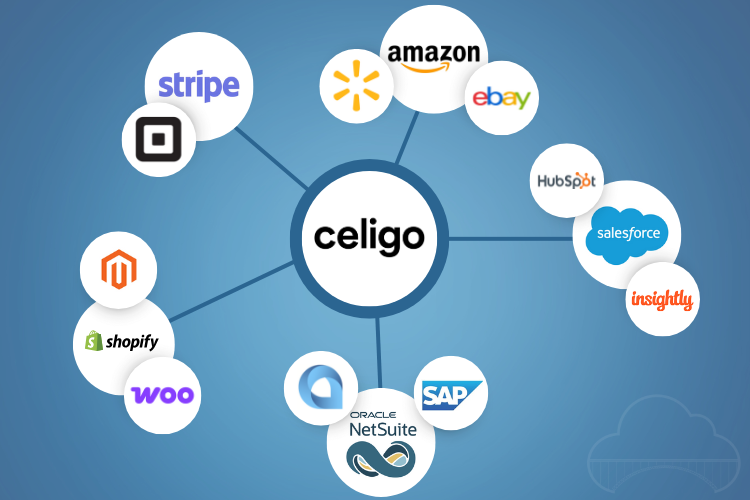
What Is Celigo? A Simple Guide to How It Really Works
Modern businesses rely on countless cloud apps, but disconnected systems lead to manual work, data errors, and slow processes. Celigo solves this by connecting applications and automating the workflows between them. With prebuilt integrations and a powerful visual builder, Celigo brings real-time visibility, streamlined operations, and scalable automation to any growing business.

The Business Case for a Shopify Plus NetSuite Integration
You deal with messy orders every day. Phone calls. Emails. Even that old fax machine. Then your team jumps in to retype everything into NetSuite, chase stock updates, and answer nonstop pricing questions. It slows everyone down. A Shopify Plus NetSuite integration clears that chaos. You sync data in real time, cut manual work, reduce errors, and give Customers the info they need instantly. In this post, you will see how the integration works, the fast ROI B2B teams are seeing, and why this setup

Manage Bank Reconciliations with NetSuite
For businesses with high transaction volumes, multiple bank accounts, or various currencies, bank reconciliation can be time-consuming. NetSuite’s Bank Data Matching and Reconciliation can automate the manual comparison of bank data with accounting records, allowing users to automatically import bank data, saving time and improving accuracy. Bank reconciliation is crucial for aligning cash balances from bank statements with accounting records. It enhances cash flow management, improves...