
What to know about
NetSuite Automation & Customization
What Is NetSuite Automation and Customization?
NetSuite Automation and Customization is the process of extending NetSuite to better match how your business operates. This includes automating manual workflows, customizing records and forms, building scripts, and developing tailored functionality that improves efficiency and accuracy.
Well designed NetSuite customization reduces manual effort, enforces consistent processes, and helps teams work faster with fewer errors. NetSuite automation allows your system to handle repetitive tasks automatically, freeing your team to focus on higher value work. When done correctly, NetSuite development enhances usability without compromising system stability or upgradeability.
Why Work With a Team of NetSuite Experts?
NetSuite customization and automation directly impact financials, operations, and reporting. Working with experienced NetSuite experts helps ensure development work is aligned with best practices and long term system health. A knowledgeable NetSuite development team understands how scripts, workflows, and customizations interact with native functionality. This reduces the risk of performance issues, broken processes, and costly rework. Expert guidance ensures your NetSuite automation supports growth rather than creating technical debt.
Why Companies Choose GAP
Purpose Driven Customization
We only build what adds real value. Every NetSuite customization is designed to solve a clear business problem and support measurable outcomes.
Automation With Financial Awareness
Our NetSuite automation is built with financial processes in mind. Scripts and workflows are designed to support accurate reporting, approvals, and controls.
Clean and Maintainable Development
We follow NetSuite best practices to ensure customizations are readable, documented, and easy to support over time.
Transparent Communication
We explain what we build and why. Your team understands how NetSuite development supports daily operations and future changes.
Our Approach to NetSuite Automation and Customization
Business Process Review
We begin by taking time to understand your current workflows, bottlenecks, and business objectives. This includes reviewing how data moves through NetSuite and where manual steps or workarounds exist.
By understanding the full process, we ensure automation and customization address root causes rather than surface level symptoms. This foundation helps prevent unnecessary complexity and rework later.
Solution Design & Planning
Once requirements are clear, we design a solution that balances functionality with simplicity. We evaluate whether workflows, native features, or SuiteScript are the right tools for the job.
Planning also includes considering performance, security, and how the customization will adapt as your business grows. Every design decision is made with long term system health in mind.
Development & Configuration
We build NetSuite automation and customization using best practice development standards. This includes writing clean, well documented code and configuring workflows that are easy to understand and support.
Custom records, forms, and scripts are structured to align with NetSuite’s data model and security framework. Our goal is to deliver functionality that feels native rather than bolted on.
Testing & Validation
All automation and customization work is thoroughly tested before deployment. We validate logic across common and edge case scenarios to ensure accuracy and predictable behavior.
Testing also includes reviewing permissions and performance to avoid unintended impacts on users or system speed. This step reduces risk and ensures confidence at go live.
Deployment & User Enablement
We deploy changes in a controlled and transparent manner. Clear documentation and walkthroughs help your team understand what was built and how it works.
We also support change management by answering questions and ensuring users are comfortable with new automation and customizations. A smooth transition helps maximize adoption and value.
Ongoing Refinement & Support
Business needs evolve, and NetSuite automation should evolve with them. We provide ongoing support to refine existing customizations, address new requirements, and ensure everything continues to perform as expected.
Regular reviews help identify opportunities for improvement and prevent outdated logic from creating friction. This ensures your NetSuite development remains an asset rather than a liability.
I had a fantastic experience working with GAP Consulting, it was honestly one of the best experiences I've had with an outside vendor.
Alicia Nuche
Senior VP of Finance at Avenue I Media
I greatly appreciate the meticulous attention to details and processes shown by the GAP team. They lean in and learn your business.
Jeff Pedigo
Controller at Killara Outdoors
How to Ensure Proper NetSuite Automation and Customization
Add paragraph text. Click “Edit Text” to update the font, size and more. To change and reuse text themes, go to Site Styles.
1
Start With Clear Requirements
Automation should solve a specific problem. Clearly defining goals and success criteria prevents unnecessary complexity and rework.
Start With Clear Requirements
Automation should solve a specific problem. Clearly defining goals and success criteria prevents unnecessary complexity and rework.
1
Add paragraph text. Click “Edit Text” to update the font, size and more. To change and reuse text themes, go to Site Styles.
2
Use Native Tools Where Possible
NetSuite workflows and native features should be leveraged before custom scripting. This improves maintainability and system performance.
Use Native Tools Where Possible
NetSuite workflows and native features should be leveraged before custom scripting. This improves maintainability and system performance.
2
Add paragraph text. Click “Edit Text” to update the font, size and more. To change and reuse text themes, go to Site Styles.
3
Design for Scalability
Customizations should support growth. Automation must handle increased transaction volume and evolving processes without breaking.
Design for Scalability
Customizations should support growth. Automation must handle increased transaction volume and evolving processes without breaking.
3
Add paragraph text. Click “Edit Text” to update the font, size and more. To change and reuse text themes, go to Site Styles.
4
Protect Financial Accuracy
NetSuite automation should align with approval flows, posting logic, and reporting requirements to avoid financial inconsistencies.
Protect Financial Accuracy
NetSuite automation should align with approval flows, posting logic, and reporting requirements to avoid financial inconsistencies.
4
Add paragraph text. Click “Edit Text” to update the font, size and more. To change and reuse text themes, go to Site Styles.
5
Avoid Over Engineering
Complex solutions are harder to maintain. Simple, well designed NetSuite customizations are more reliable and easier to support.
Avoid Over Engineering
Complex solutions are harder to maintain. Simple, well designed NetSuite customizations are more reliable and easier to support.
5
Add paragraph text. Click “Edit Text” to update the font, size and more. To change and reuse text themes, go to Site Styles.
6
Document and Review Regularly
Clear documentation and periodic reviews help ensure customizations remain relevant and do not create hidden dependencies.
Document and Review Regularly
Clear documentation and periodic reviews help ensure customizations remain relevant and do not create hidden dependencies.
6
Successful NetSuite development requires discipline and thoughtful design.
Trusted By
NetSuite Automation & Customization FAQs
Stay Up To Date On
All Things NetSuite
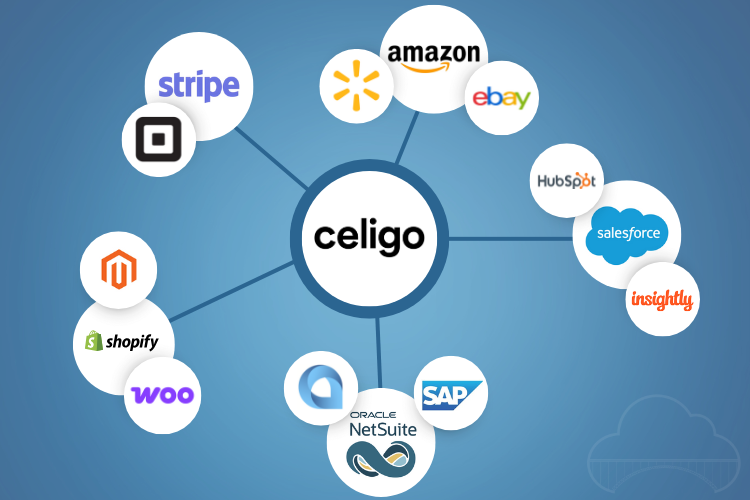
What Is Celigo? A Simple Guide to How It Really Works
Modern businesses rely on countless cloud apps, but disconnected systems lead to manual work, data errors, and slow processes. Celigo solves this by connecting applications and automating the workflows between them. With prebuilt integrations and a powerful visual builder, Celigo brings real-time visibility, streamlined operations, and scalable automation to any growing business.

The Business Case for a Shopify Plus NetSuite Integration
You deal with messy orders every day. Phone calls. Emails. Even that old fax machine. Then your team jumps in to retype everything into NetSuite, chase stock updates, and answer nonstop pricing questions. It slows everyone down. A Shopify Plus NetSuite integration clears that chaos. You sync data in real time, cut manual work, reduce errors, and give Customers the info they need instantly. In this post, you will see how the integration works, the fast ROI B2B teams are seeing, and why this setup

Manage Bank Reconciliations with NetSuite
For businesses with high transaction volumes, multiple bank accounts, or various currencies, bank reconciliation can be time-consuming. NetSuite’s Bank Data Matching and Reconciliation can automate the manual comparison of bank data with accounting records, allowing users to automatically import bank data, saving time and improving accuracy. Bank reconciliation is crucial for aligning cash balances from bank statements with accounting records. It enhances cash flow management, improves...